Doctor support
How to Download Your HPCSA Registration Confirmation Card
To download your official HPCSA registration confirmation card (includes your QR code), follow the steps below.
If you have issues accessing the dashboard or downloading the card, please contact Udok support directly through the portal.
Step 1
Go to the HPCSA Online Portal
Open the HPCSA portal dashboard: https://hpcsaonline.custhelp.com/app/dashboard.
Step 2
Log in with your HPCSA username and password
Enter your credentials to access your account.
Step 3
Open “My Registrations”
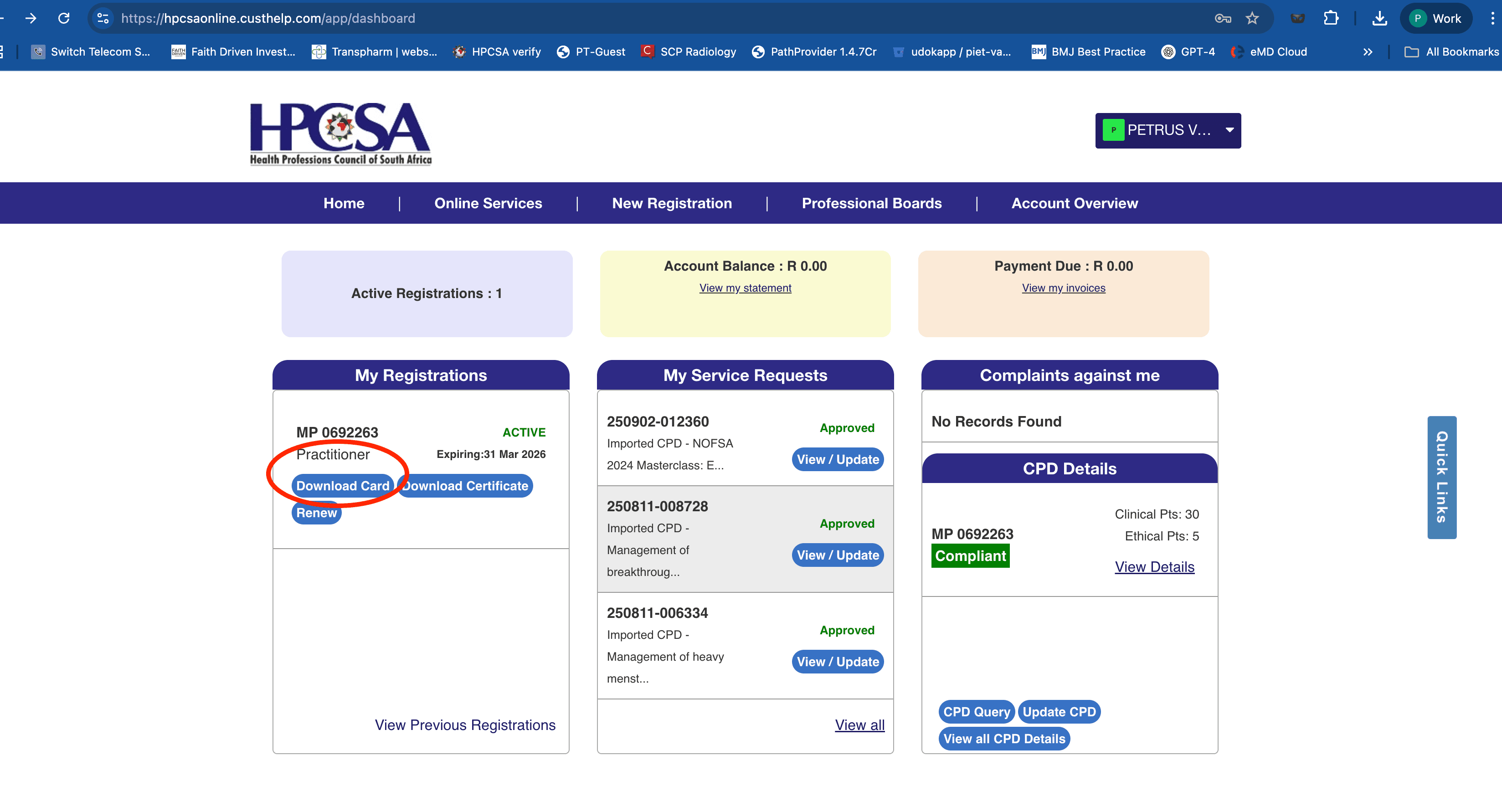
On your dashboard, select the “My Registrations” section to view your registration details.
Step 4
Click “Download Card”
Select “Download Card.” Your registration confirmation card will download automatically.
What to expect
Your confirmation of registration card will download automatically. This document includes your QR code for instant verification by hospitals, employers, and medical institutions.